CURCY - WooCommerce Multi Currency - Currency Switcher
Product Sales
Customers already picked this product.
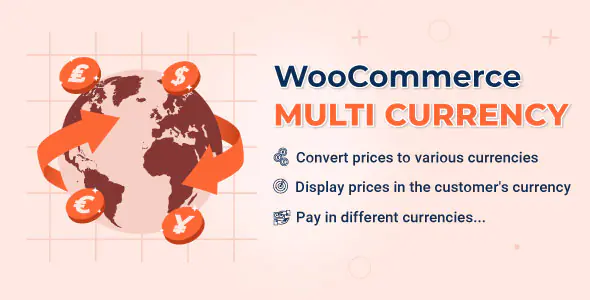
WooCommerce Multi Currency Plugin – Sell Globally with Multiple Currencies
Turn your WooCommerce store into a global marketplace with WooCommerce Multi Currency, a powerful currency switcher plugin that helps customers view prices, switch currencies, and pay in their preferred currency.

Whether your buyers are from India, the USA, Europe, the UK, or any other country, this plugin makes shopping easier by showing product prices in a familiar local currency. Better currency experience means better trust, smoother checkout, and a higher chance of completing the order.
Why WooCommerce Multi Currency is Perfect for Your Store
If you sell digital products, physical products, subscriptions, or services online, showing prices in only one currency can confuse international customers. WooCommerce Multi Currency solves this problem by letting customers browse and pay in different currencies.
The plugin can automatically detect the customer’s country through IP-based geolocation and display prices in their native currency. You can also allow users to manually switch currencies using a currency bar, price switcher, or shortcode.
Key Features
Multi-Currency Price Display
Allow customers to view your product prices in different currencies. You can display a currency switcher on your store using the currency bar, shortcode, or product price switcher.
Auto-Detect Customer Currency
The plugin can detect the customer’s country based on their IP address and automatically show prices in the correct local currency.
Manual or Automatic Exchange Rates
Set exchange rates manually or let the plugin update them automatically using available exchange rate sources such as VillaTheme.com, Google Finance, or Yahoo Finance.
Fixed Product Prices by Currency
Add fixed prices for different currencies. These fixed prices can override exchange-rate-based prices, giving you full control over product pricing in each currency.
Multi-Currency Checkout
Let customers pay in their selected currency. You can choose which currencies are allowed at checkout and assign specific payment gateways to each currency.
Approximate Local Price
Show the main product price in your default store currency while also displaying an approximate price in the customer’s native currency.
Currency by Country
Choose which currency should be shown for each country. You can add countries automatically, remove countries, or manually assign countries to specific currencies.
Custom Currency Symbols
Customize currency symbols based on your branding. For example, you can display United States Dollar as USD, US$, or $.
Hide Unwanted Currencies
Easily hide currencies that you do not want to show on the front end of your WooCommerce store.
Exchange Fee Management
Add a permanent exchange fee to your currency rates to cover bank charges, money transfer fees, or currency conversion differences.
Payment Gateway Control
Display specific payment methods based on the selected currency. This gives you better control over checkout and payment compatibility.
WPML and Polylang Support
Automatically change currency based on website language using WPML or Polylang. For example, you can show GBP for English and EUR for Spanish.
CSV Price Management
Add or update fixed regular prices and sale prices in different currencies using CSV files.
Useful Shortcodes
Use shortcodes to display currency selectors, live exchange rates, and product prices in a specific currency anywhere on your website.
Best for Global WooCommerce Stores
WooCommerce Multi Currency is ideal for store owners who want to sell worldwide and give customers a localized shopping experience. When customers see prices in their own currency, they feel more confident before buying.
This plugin is useful for:
Online digital product stores
WooCommerce marketplaces
International eCommerce stores
Membership websites
Subscription-based stores
Template and plugin sellers
Physical product stores selling worldwide
Improve Customer Trust and Checkout Experience
International customers often leave a website when they are unsure about price conversion. With WooCommerce Multi Currency, customers can clearly understand the product cost in their own currency before checkout.
You can also control which currencies are available for payment, which payment gateways appear for each currency, and whether the checkout currency should change on the cart page.
Important Note
Auto-detect currency features may not work properly on some websites or servers with strong cache settings. It is recommended to test the free version first to make sure the auto-detect feature works correctly on your website.
Why Buy WooCommerce Multi Currency?
WooCommerce Multi Currency gives your store the flexibility to sell globally with a better customer experience. From automatic currency detection to multi-currency checkout, fixed prices, payment method control, exchange fees, and language-based currency switching, this plugin gives you the tools you need to make international selling easier.
Start selling globally today and make your WooCommerce store more comfortable for customers around the world.